Convert TTML or DFXP to SRT
Open a TTML, DFXP or text-based IMSC file and produce an SRT review copy. The output keeps timed text in a simpler numbered-cue format.
Open this tool with JavaScript enabled to work on your files locally.
- A timed XML paragraph contains two lines of dialogue separated by a line break.
- Inspect the SRT review copy to confirm both lines and its in/out times survived.
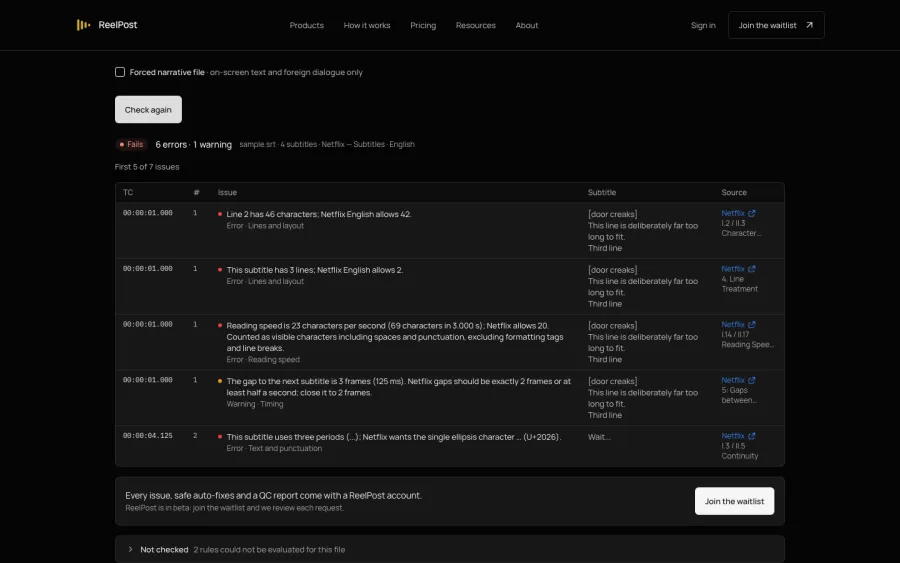
Review information carried by the source XML
A TTML document may define regions and styles that a basic SRT player cannot reproduce. Check captions that move to avoid graphics, forced narrative events and changes in speaker after conversion.
Image-profile TTML packages need a separate image workflow. Keep the original XML and associated assets together.
Choose a source with real timed text
Look for dialogue inside timed paragraph elements in the XML. In an image-based package a document can instead point to picture assets that contain the caption appearance. This conversion is intended for text and does not perform optical character recognition. A copied manifest or metadata-only XML file will not supply the actual caption words.
Find a paragraph with nested spans and a deliberate line break. After conversion, read the plain text in order and compare it with the rendered XML. If the source switches between regions, capture a reference frame for the reviewer and explain which visual behaviors the simpler review file cannot carry.
Inspect a timed-text document before approving it
Open the output in a text editor and in a player that understands the target profile. The XML view can show the declared language, the timing expressions and whether the file contains actual dialogue text. The player reveals how line breaks, regions and emphasis look over the picture. Inspect both views for the same two or three cues so your notes can be traced back to a specific event.
Choose at least one cue with an ampersand or quotation marks and one with a non-ASCII character. XML uses escaped representations for certain characters. Seeing an entity in the source document is expected; seeing the literal entity on screen indicates a problem. Keep an untouched XML source in case the destination format drops a style or region that a later delivery still needs.
Check sync at three points in the cut
Open the approved picture and start with a cue containing an unmistakable spoken word. Pause on its first visible frame. Compare the word with the audio and check whether the cue enters over the intended shot. Repeat near the middle of the programme and again during the last dialogue scene. A clip whose first caption lands correctly can still drift over a long runtime.
Write down what you see at each point. A fixed discrepancy of two seconds in all three places suggests a different start or leader. A small difference at the beginning that grows by the end warrants checking the picture speed and the time basis. A change that appears only after a particular cut points to a different edit. Keep the three observations with the file so the next person has something precise to investigate.
Leave a usable handoff for the next editor
Save the exported file alongside the source. Give each a filename that identifies the cut, language and purpose. A screener and a delivery master can share a title and runtime while differing in leader, burned-in text or credits. Record which one you used for the review. If two exports are revisions of the same subtitle file, preserve the older approved copy until the replacement has been checked.
Open the downloaded file in the recipient’s playback or authoring software. Check a two-line cue, an accented name, a speaker change and a cue displayed over an on-screen title. When sending the file for approval, include the timecode of any remaining question and a short description of what the reviewer should decide. A precise query such as “Does this caption cover the location title at 00:18:07?” is easier to resolve than a general request for another QC pass.
Questions about this resource
Where are my files processed?
The public tool runs in your browser. Save the result before closing the tab. Your source file stays on your device.
Can my team see this workflow on a demo?
Join the ReelPost waitlist with your email and reply to the welcome message. A team member can arrange a walkthrough around the deliverable on your schedule.