Netflix deliverables, from IMF to timed text
Build your Netflix handoff from the title’s actual source requests. One project may need a new picture master, another a corrected audio track and a third a language asset for a composition that already exists. The request, version and delivery contact together identify what the team needs to produce. Keep that information attached to each file from finishing through QC.
- Episode 03, domestic picture revision 07. The insert at 00:18:32 lasts six frames longer.
- Mastering will identify the revised composition. Localization checks sync around the insert and the final dialogue anchor.
- Delivery coordinator matches each replacement to its own Source Request and records the receiving status.
Turn the source requests into a working list
Make a row for each requested asset. Record the title and episode ID, picture version, requested asset type, language or locale, due date, approved source, assigned owner and request identifier. Add a column for the last note from the receiver. Two rows called “English” can represent very different jobs if one is a dub and the other is English SDH against the original mix. Check that the person exporting the file can tell which row it belongs to.
Netflix documents its Backlot delivery interface around Source Requests. Its delivery page allows users to select assets for individual requests and see their status. Treat that status as a separate item from your local export progress. A file can be finished in the grading room, copied to the delivery volume, uploaded and still awaiting review. Record each event accurately so a producer can answer what remains outstanding.
Identify the exact composition
An IMF handoff can involve multiple track files. A composition playlist identifies how those assets form a particular program version. Ask the mastering facility for the title, composition identifier, runtime, edit rate and intended audio configuration. Compare them to the approved locked reference. For a supplemental delivery, establish which existing assets the receiver already has and which composition the update belongs to. A folder that plays on a workstation with all earlier packages mounted can still be missing a dependency for the intended recipient.
At picture approval, write down several anchors a reviewer can find without special software. The first frame of program, an identifiable dialogue exchange in the middle, and the end of the last credit make a useful minimum. Add a scene-specific anchor near every changed edit. Use those points when the localization or audio team receives a newer reference.
Match each language track to what the viewer hears
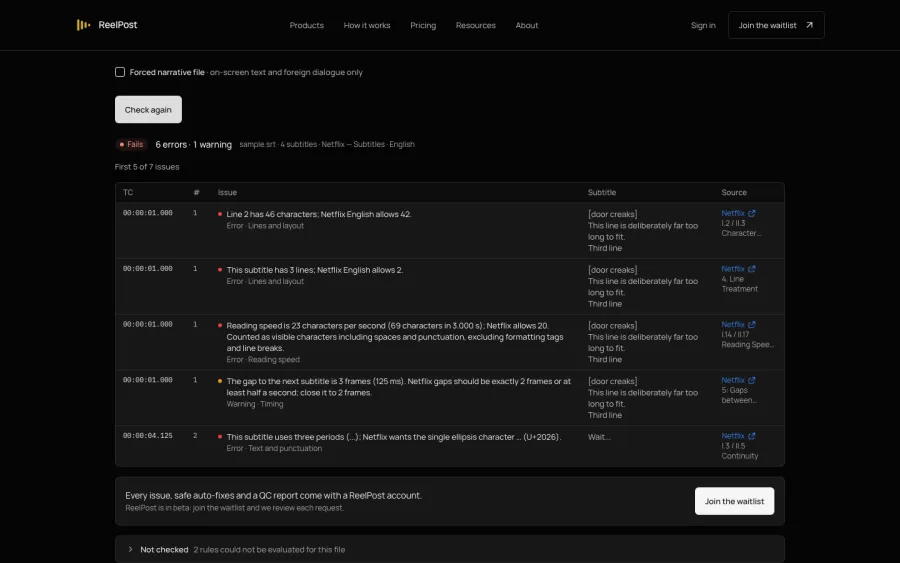
Full subtitles, SDH, forced narrative text and dubs each convey different information. Identify the required track type and associated audio before naming the file. If a replacement changes a line reading or introduces a longer pause, check its timed text along with the new audio. A file can share the approved language and duration while describing a different performance.
Send the language reviewer the same picture that the mastering team used, including the expected texted or textless treatment. A sign translated as on-screen text in one version may already appear graphically translated in another. Record the decision about how that sign should appear for each audience, especially when a region receives its own localized graphics.
Close the loop on a replacement
Preserve the original delivery record and provide a short change note for each replacement. Include the request identifier, the old and replacement composition or asset IDs, the timecode range and what changed. Confirm the status of the replacement in Backlot and capture any QC note before closing the internal row. If a partner requests an additional asset, add a row with its own owner and status.
Use an explicit return owner for delivery questions. Picture, sound and localization may all have signed off their own component, yet a question about which composition the subtitle track belongs to needs one coordinated answer. Include the project identifier and request number when forwarding that question, and attach the answer to the original row when the receiver responds.
Questions about this resource
Which instructions apply to my particular delivery?
Confirm the destination, title version and deliverable with the receiving team. Use the linked references and worked example to prepare questions before you send a final file.
Can my team see this workflow on a demo?
Join the ReelPost waitlist with your email and reply to the welcome message. A team member can arrange a walkthrough around the deliverable on your schedule.