Turn your delivery schedule into a checklist
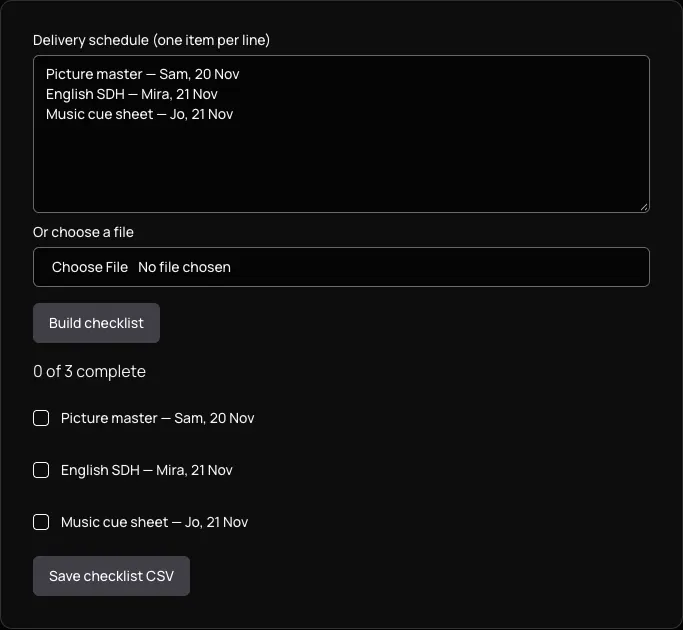
Turn the lines of a delivery schedule into a working checklist. Paste text or open a text, PDF or Word file, then edit line breaks before generating the list.
Open this tool with JavaScript enabled to work on your files locally.
- English SDH · 23.976 master · review copy
- English SDH · delivery file matching approved master
- Open captions · festival screener
Use the buyer’s deliverables schedule
Give each independently deliverable asset its own line. Include language, format, version and any other distinction that affects acceptance. Review the text extracted from multi-column PDFs before saving.
Check off completed items and download the CSV as a handoff record. Keep the actual specification and approval notes with the project.
Turn a buyer’s paragraph into separate tasks
Read the actual delivery schedule and split combined clauses before making the checklist. A paragraph requesting an English SDH track, its review copy and the corresponding QC report describes three things that can be completed at different times. Put each on its own line. Keep the language, version, audio configuration or destination wherever it distinguishes one deliverable from another.
When the source came from a PDF or Word file, inspect the extracted text before generating the list. Tables, wrapped lines and running headers can read in a different order from their visual layout. Remove page furniture, rejoin wrapped item names and preserve meaningful subitems. For scans without a usable text layer, paste the deliverables directly from the approved source.
Run an actual delivery meeting from the list
Check an item off when the assigned owner has verified the artifact being delivered. An export queued in an encoder, an upload in progress and an accepted delivery are different states. Use the open or complete status consistently within the team. If a buyer’s acceptance is a separate milestone, give acceptance its own line instead of using one checkbox to represent both preparation and receipt.
Download the CSV after updating the checkboxes. It includes the item names and their current statuses, so someone taking over can continue from the saved copy. The browser does not upload the schedule or send it to partners. To carry an in-progress meeting across sessions, save the CSV before closing the tab. Add owner and deadline columns in your working spreadsheet if the job needs them.
Schedule a reminder you control
For a confirmed waitlist member, selecting a date creates a calendar file with an all-day delivery event and a one-day advance reminder. Import the file into the calendar you use for post work and check its notification settings. Choose a date that leaves enough time to resolve missing items. If the buyer changes the deadline, update or replace the calendar event along with the working schedule.
Record the version you reviewed
Save a copy with the programme name and picture version in its filename. If the producer later sends a revised cut, keep the first review and start a new version from the revised source. An edit near the beginning can change every downstream timecode even when the total running time barely changes. Write down the frame rate and the first picture frame used for comparison.
For the handoff, identify who prepared the file, who checked it and which items still require a decision. Include the actual deliverable and the source used to build it. A person opening the folder a month later should be able to tell which artifact was for review and which one was approved for delivery, without relying on the upload date.
Use a real exception to test the handoff
Suppose the picture master and English captions are complete but the buyer requests revised audio stems. Leave the stem item open, save the updated CSV and tell the coordinator which source mix is being revised. When the replacement arrives, check its channel assignment and reference version before marking it complete. A short exception note in the working spreadsheet helps the next coordinator distinguish that replacement from the superseded upload.
Questions about this resource
Where are my files processed?
The public tool runs in your browser. Save the result before closing the tab. Your source file stays on your device.
Can my team see this workflow on a demo?
Join the ReelPost waitlist with your email and reply to the welcome message. A team member can arrange a walkthrough around the deliverable on your schedule.