An end credits template for film and TV
The handoff into a credit roll often starts as a pile of names, emails and billing notes. This workbook turns each piece of approved screen wording into a distinct block. The blank sheet leaves room for a role, display text, layout, approval source, owner and state. The fictional example shows how a single card, cast pairs and crew rows can coexist in one list.
- C10 · Single card · Directed by · Ari Vale.
- C20 · Cast pair · Inez · Jo Bell.
- C40 · Music block · Original music · June Alder · In review.
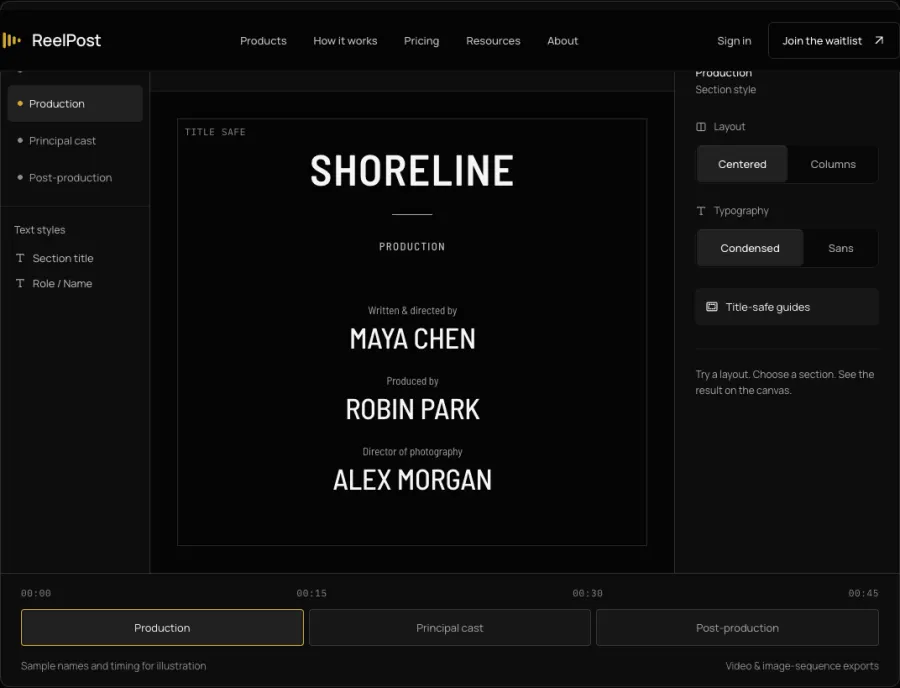
Separate the screen wording from the approval conversation
Keep names, roles and punctuation exactly as the contributor or authorized billing owner approved them. Put comments, alternate spellings and outstanding questions in the review record. A typesetter copying a cell should get only the text intended for the screen. An assistant reading the same row should be able to identify the person who can resolve it.
Give each block a durable ID before the layout pass. In the example the director card is C10 and the two cast entries are C20 and C21. The next department can have C30. When a producer inserts a card between existing sections, retain the IDs of blocks already under review. That keeps older comments useful after the roll changes.
Gather the right sign-offs for each block
Department heads can confirm their crew roster, while production or its designated billing contact should reconcile contractual wording and placement. A department list may contain a familiar nickname where the approved credit uses an accented surname. Check the actual string on the proof. Preserve capitalization and diacritics when transferring it to the rendering application.
Music, acknowledgments and third-party marks deserve a separate pass. A composer credit in a roll can have different wording from an entry in the music cue sheet. Link the relevant approval document in your internal tracking record and identify the steward of that document. Use the music field to collect the approved credit and keep contributor-rights metadata in the cue sheet.
Build a proof before a master render
Group adjacent role and name pairs deliberately. Review the longest names and titles together with the available width. Render a proof at the intended display size and check the letterforms in motion. A string that fits in the workbook may wrap onto two lines in the credit roll, increasing the duration and splitting a department across an awkward boundary.
Use the block ID when giving feedback. “C21, replace the cast surname and keep this performer paired with Sol” tells the operator both what changes and what to preserve. Send a proof that has the corresponding revision stamped into its filename. For fine placement decisions, provide a still of the exact approved card alongside the motion proof.
Close the delivery with a readable history
Before final render, filter for entries still marked draft or in review. Resolve each with the named owner, or document the production’s decision to omit it. Compare the approved export with the rendered roll from the first title through the last mark. Look for a missing block, an outdated acknowledgment and names that have lost punctuation or special characters.
For productions working under guild agreements, consult the applicable credits process and approved terms. The sample’s director card and performer order demonstrate the workbook layout. Your production’s signed wording and determinations supply the placement. Archive the approved workbook, final proof and master filename so a later territory version can trace its starting point.
Keep an independent spelling list for names that repeat across the roll. A performer may also have a producer credit, and an editor may appear in acknowledgments. Confirm every appearance with the authorized owner. A correction applied to one display row can leave the earlier card carrying the old spelling.
Questions about this resource
Can I adapt the template to my delivery schedule?
Yes. Work from a copy, replace the sample material and match the column names, timecode conventions and file format to your recipient’s written brief.
Can my team see this workflow on a demo?
Join the ReelPost waitlist with your email and reply to the welcome message. A team member can arrange a walkthrough around the deliverable on your schedule.