The order of film credits, explained
A workable credits order answers three questions for each block. Where will the viewer see it, what arrangement has the production approved, and who can change it? The download gives you an opening and end-credit sequence map, separate from the wording sheet. Its fictional arrangement is a starting layout you can revise against your production’s billing instructions.
- O10 · Opening main title over picture.
- E10 → E20 → E30 · End card, principal cast, department roll.
- E40 → E50 · Music block, then closing acknowledgments.
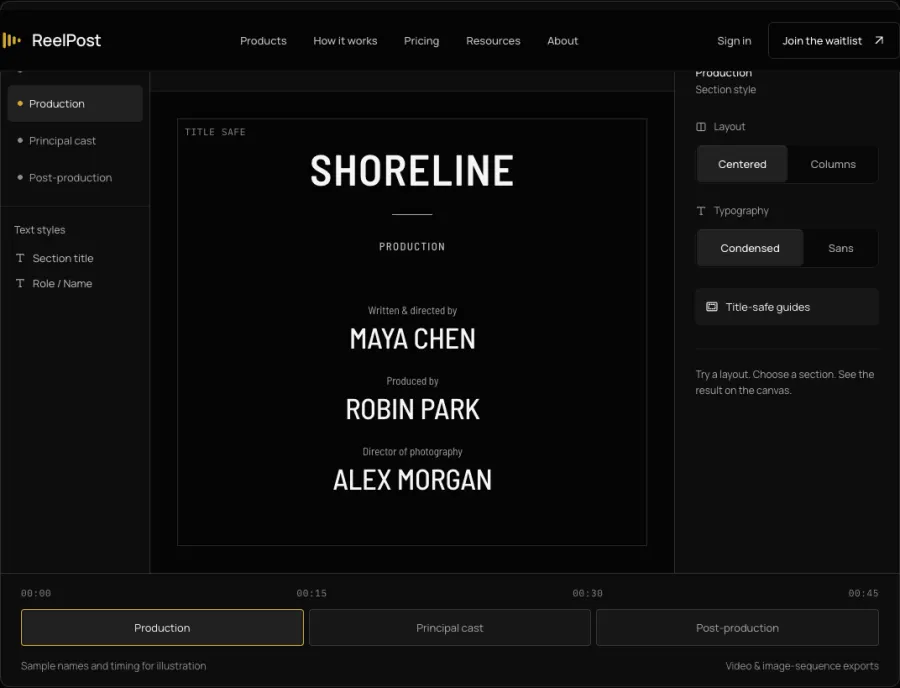
Map the opening and ending separately
Start the map with two regions, opening titles and end titles. For every proposed card, identify whether it plays over picture, on a standalone background or as part of the continuous roll. An action sequence with timed title reveals has different timing constraints from a static end card. State which version of picture was used when choosing those positions.
The sample places a main title after the opening action. It starts the end sequence with a director card, followed by cast pairs, department groups, music and acknowledgments. A feature with a main-on-end sequence may have a different structure. Treat the worksheet’s numerical position as a local ordering key within its region. Keep the stable ID visible when reordering.
Document placement decisions before styling
Collect the approved billing schedule, current cast list and relevant contractual or guild determinations through the producer or business-affairs contact. Record which agreement or written approval supports a claimed position. Avoid guessing the final order from poster art or copying another film’s titles. A marketing billing block and the delivered film can serve different purposes.
Distinguish a single-card placement from a shared card, a cast pair from a crew list and a closing logo from a credit line. Two people can receive identical words and still have materially different placements. Put the placement question in the dependency column so a design change cannot silently alter a negotiated treatment.
Check the transitions between blocks
Make a low-cost proof of the entire title sequence. Read the closing words of one block and the first words of the next at normal playback speed. An unexpected shared baseline can make a new department appear subordinate to the preceding department. A role without an associated name can be especially hard to spot when a proof is reviewed one still at a time.
If a revision adds three cast rows, compare the duration at the approved roll speed. Decide with the producer whether to change layout, extend the roll or adjust timing elsewhere. Record the choice and check the credits music against the revised end frame. A small adjustment in the middle can change where the final logo and tail land.
Approve the sequence and the actual render
Route order changes to the person responsible for billing before spending time on a final render. For covered productions, the WGA and DGA publish their own credits guidance. Use the current governing materials and the project’s authorized credit determinations when deciding a specific placement. Keep unresolved questions visible on the map until the owner closes them.
Hand off both the order map and the final wording sheet. Have someone read the delivered master using just those documents and call out each block ID in turn. Archive a proof and the exact filenames for the source roll and final master. Later, a localized version can reuse the approved structure while the team reviews translated headings separately.
Choose one awkward late change to test the map. Move the music block ahead of the department roll in a trial copy. Examine which timecodes, transitions and approval references would move with it. Restore the approved sequence afterward. This rehearsal reveals dependencies that a static list of titles leaves easy to miss.
Questions about this resource
Can I adapt the template to my delivery schedule?
Yes. Work from a copy, replace the sample material and match the column names, timecode conventions and file format to your recipient’s written brief.
Can my team see this workflow on a demo?
Join the ReelPost waitlist with your email and reply to the welcome message. A team member can arrange a walkthrough around the deliverable on your schedule.